The Lead Follow-Up System: 6 Steps From Ad to Calendar
It’s a typical Friday at 6:12 PM. A homeowner texts that the water heater just went out and asks if someone can come this weekend. At 6:42 they write, “Hello?” At 7:42, “Hello????” Monday morning, at 9:14, a reply finally goes out: “Sorry we missed you. How can we help?” By 9:20, they have already found someone else.
I am not describing one named customer. This is a situation I see often with local service owners who already pay for ads and inbound leads. The interest was real. The reply was late. If you have opened your phone on a Monday and felt that drop in your stomach, you know what unfinished follow-up costs.
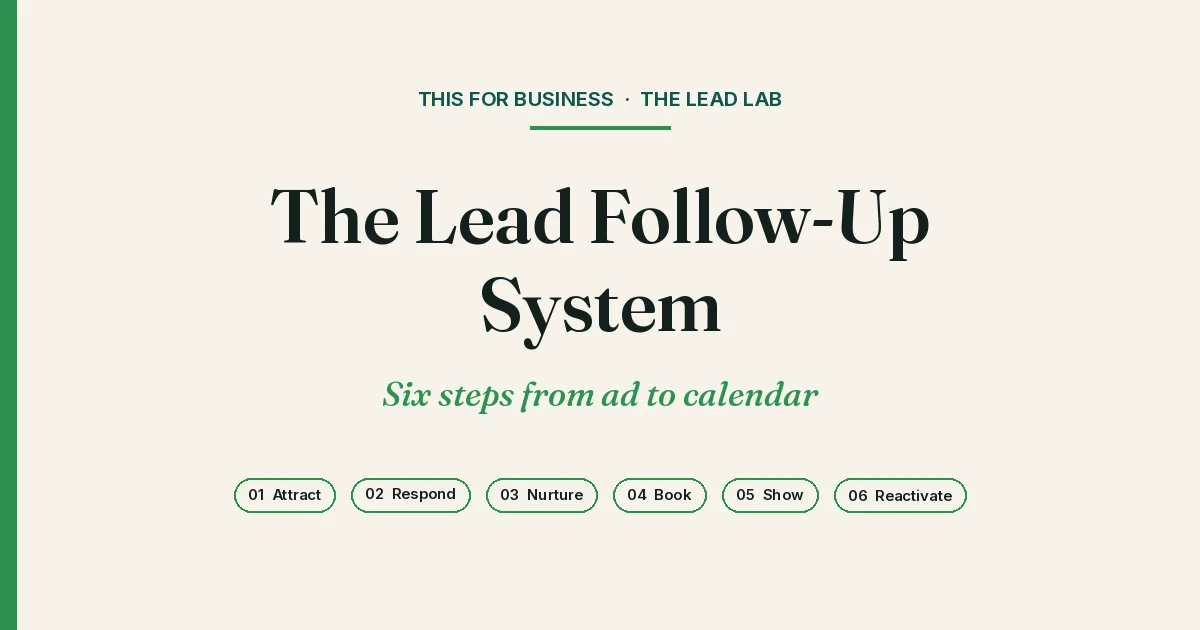
A lead follow-up system takes a new inquiry from the ad to a booked appointment, and later brings quiet contacts in your database back into conversation. In GoHighLevel, that path is six steps: Attract, Respond, Nurture and follow up, Qualify and book, Show, and Reactivate. The work is finishing the system you already have.
Attract
Attract is how inquiries arrive: a form on your website, a paid-lead form, a call, a text, or a message on social. If those sources dump into different inboxes, you do not have a system. You have a pile.
In GoHighLevel, point every source at one Conversations inbox and one pipeline. Put a hidden field or a tag on each form so you can see whether a lead came from ads, the website, or a referral. When a form is submitted, use a Form Submitted trigger to start a workflow and create or update an opportunity in a plain pipeline stage such as New Lead.
If you use call tracking, send those calls into the same account. The point is not more traffic. It is making sure the lead you already paid for has a place to land, and a next step that does not depend on someone noticing a notification after hours.
Respond
Respond is the first human-sounding reply, sent while the person still cares. A Friday-night water-heater text that sits until Monday is not a marketing problem. It is a response problem.
Build a workflow that starts when a form is submitted, or when someone messages you (the Customer Replied trigger), and immediately sends a short text or email: you got it, here is what happens next, and here is how to book or reply. Keep that first message short.
Missed calls need the same treatment. GoHighLevel’s Missed Call Text Back feature — under Settings, then Phone System, Voice, and Voicemail & Missed Call Text Back — can send an automatic text when an inbound call is not answered. If you want more control, use a workflow with the Call Details trigger and Call Status filters (no-answer, voicemail, or busy), then a Send SMS action.
Conversation AI can take that first back-and-forth after hours, and Voice AI can help on inbound calls when you configure a Voice AI flow. They cover the minutes your team cannot pick up.
On our site we describe the standard we build toward: every inquiry gets an answer in under 60 seconds. That is a setup choice in GoHighLevel, not a default switch. A free system review from THIS is how we look at whether your first reply is actually firing.
Nurture and follow up
One reply is not a lead follow-up system. Good prospects get busy. They mean to come back to you and then they don’t. Nurture is the sequence that keeps the conversation open without turning your technician or office manager into a full-time chaser.
In Workflows, add Wait steps and additional Send SMS or email actions over the next several days. If the contact replies, branch or stop the sequence so they are not being nudged after they have already spoken up. Use tags to mark “in follow-up” or “replied,” and move the opportunity through the pipeline so you can see who is waiting and who has gone quiet.
Conversation AI can continue a natural back-and-forth inside that workflow when you want to ask a simple question and wait for an answer, instead of blasting a fixed script. Keep the tone clear, polite, and easy to answer.
For industry-by-industry timing, see Automated Lead Follow-Up Templates by Industry. The principle is the same in every trade: stay persistent, and stop when a real conversation starts. For how this should feel in practice, see Inside Automated Lead Follow-Up for Service Businesses.
Qualify and book
The goal of follow-up is not a longer chat. It is a qualified next step on the calendar. Ask the few questions that matter in your business — service area, issue, timing, and whether they are the decision-maker — then offer a booking link.
Connect a GoHighLevel calendar to the workflow or to Conversation AI so the contact can grab a time without waiting for someone to text back “what works for you?” When they book, a Customer Booked Appointment trigger can send a confirmation, update the opportunity to Booked, and notify the right person on your team.
If they are not a fit, say so kindly and close the loop. A clean “not qualified” stage is better than a bloated pipeline of people who were never going to book. Your team should step in where a human changes the outcome. The system should handle the path that gets them there.
Show
A booked appointment that nobody reminds, and nobody recovers, is still a leak. Show is the work between “on the calendar” and “they actually arrived,” and the work that starts if they don’t.
Use the Customer Booked Appointment trigger, Wait steps, and Send SMS or email actions to confirm the booking and remind the contact before the appointment. A simple pattern is a confirmation at booking, a reminder the day before, and a reminder shortly before the visit. Put a reschedule link in those messages so people can move the time instead of disappearing.
For no-shows, use a workflow on the Appointment Status trigger set to No Show. Send a follow-up the same day, offer a new time, and keep the opportunity open for a second chance. If the appointment is cancelled, run a shorter path that still offers a new slot. This is ordinary calendar hygiene. It is also where a lot of paid demand quietly dies.
Reactivate
Reactivate is the part most owners skip, because new leads feel more urgent than old ones. The people already in your account paid for a conversation once. Many of them never got a finished one.
Build Smart Lists for quiet contacts: open opportunities with no activity, people with no appointment in a long stretch, or old inquiry tags that never reached Booked. From there you can run a careful bulk campaign, or a Conversation AI Campaign aimed at that list, with a simple reason for reaching out and a clear way to book. Tag everyone you touch so you do not run the same reactivation twice.
This is not a promise that old leads will buy. It is a decision to work the database you already have before you buy another one. Individual examples, with their limits, are in the next section.
Where this fits
This six-step path is the lead follow-up system I want a service owner to be able to see in their GoHighLevel account. It is the same path we walk in a free system review from THIS: where inquiries arrive, where they stall, and what a finished setup would do next. A broader view of how we work lives on our services.
If you would rather not maintain all of this yourself, that is a different offer. LeadMaster AI Front Desk is our white-labeled product for response, follow-up, qualification, and booking, with a real operator behind it. The free system review is still the first conversation, whether you run the system yourself or want help running it.
On our site we share a few individual client examples from this kind of work. THAT Dental Institute: 43 additional appointments in 30 days. Existing inquiries were answered and followed up more consistently—without increasing marketing spend. LASAIR MedSpa: 15 new clients from its existing database. Past inquiries were re-engaged and interested prospects were moved back into active conversation with no new ad spend. Crystal HVAC: $10K in installation revenue from reactivation. Previously dormant opportunities were revived while new inquiries were captured, qualified and routed automatically.
Client examples describe individual outcomes and do not guarantee future results. Results depend on lead quality, volume, offer and sales process.
Frequently asked questions
I already have GoHighLevel. Do I need a new system?
Usually, no. Most owners I meet do not have the wrong platform. They have an unfinished one. This lead follow-up system uses tools already in GoHighLevel: Workflows, Conversations, pipelines and opportunities, calendars, tags, Smart Lists, and, where it helps, Conversation AI and Voice AI. A free system review from THIS looks at what is already there and what is still open.
Is this a do-it-yourself tutorial?
No. This article is a map of the six steps, with practical GoHighLevel features, not a button-by-button build. If you want a walkthrough of where setups usually stall, I host a free live masterclass on Wednesdays at 12 PM ET: see the 7 places leads slip through the cracks in an unfinished GoHighLevel setup. Save a seat on the masterclass page.
What is LeadMaster AI Front Desk, and how is it different from a system review?
LeadMaster AI Front Desk is the white-labeled product for the response and booking layer, run with a dedicated operator. A system review from THIS is a free conversation about your current GoHighLevel setup. You can tighten the system yourself after that review, or we can talk about whether LeadMaster is a better fit. The review does not require you to buy the product.
How quickly should a new lead hear back?
As fast as you can support, and ideally while they are still interested. We state on our site that every inquiry gets an answer in under 60 seconds. In practice, that first text or call-back is automated, ready before someone on your team has to notice the lead.
What happens on a free system review?
We look at how inquiries reach you now, where response or follow-up may be breaking down, and what a practical version of this six-step path would look like in your account. You should leave with a clearer plan, whether or not we work together afterward.
Book a free system review
If this Friday-night thread feels familiar, start there. Book a free system review and we will map the six steps against the GoHighLevel account you already have.
If you would rather learn in a room first, join the free live masterclass on Wednesday at 12 PM ET.
